Hey everyone, let’s cut to the chase – if you’re reading this, chances are you’ve got a workspace that’s still relying on manual welds, pick-and-place tasks that take forever, or packaging lines that’re costing you way more in labor than they should. You’ve probably been eyeing industrial robots for ages, but one thing’s been holding you back: programming them. Yeah, that’s the big “aha” moment most of us have when we realize these machines aren’t just for pros in fancy lab coats – wait, actually, no, they’re for regular folks like you and me who run factories, shops, or warehouses. I’m the owner of an industrial robot supply company, so I talk to guys like you every single day, and let me tell you, learning to program these bad boys isn’t as scary as it sounds. Let’s break this down, no jargon, no fluff, just what actually works. Industrial Robot
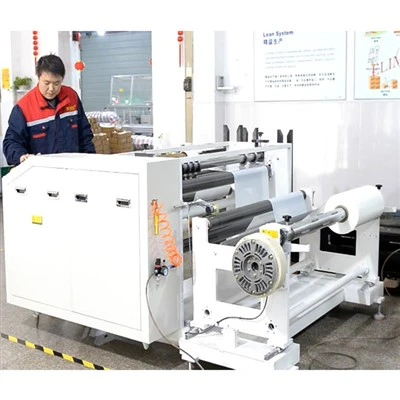
First off, you don’t need a master’s degree in robotics to get started. I see so many new customers panicking because they think they have to code like they’re building a rocket, but that’s a total myth. Most industrial robots you’ll find (the ones we supply, for example) are built with teach pendants – these little handheld units that let you “teach” the robot what to do. It’s basically like playing a super precise video game, but instead of scoring points, you’re telling the robot where to move. Step one, grab a teach pendant (we give our customers a hands-on demo with theirs before they even take it off the loading dock) and mess around with the joint mode and linear mode. Joint mode lets you move each part of the arm individually – perfect for getting it out of that awkward spot it got stuck in when you uncrated it. Linear mode is for moving the arm in straight lines, which is way more useful for tasks like welding a straight seam on a metal frame. Do this for 30 minutes a day for a week, and you’ll be way more comfortable than you think. I had a client last year who runs a small automotive repair shop; he spent a weekend messing with the teach pendant on our 6-axis robot, and by Monday, he had it programmed to load and unload brake parts from his CNC machine. No prior coding experience, just patience with the controls.
Next, pick the right entry point for your specific task. Here’s the thing: industrial robots aren’t one-size-fits-all, and their programming style changes depending on what you’re using them for. If you’re doing simple pick-and-place (like moving boxes from a conveyor to a pallet), that’s called point-to-point programming, and it’s the easiest kind. You just set two points: where the part starts, and where it needs to go. Add a few waypoints in between to avoid hitting other equipment, and you’re done. For that, you don’t even need a fancy coding setup – most teach pendants have a “teach and record” button that does all the heavy lifting. If you’re into welding, though, it’s a little more involved – you’ll need to program a continuous path, which means setting dozens of small points along the seam so the weld is smooth. But even that’s not rocket science; our training team walks you through how to sync the robot with your welding machine’s settings so every bead is consistent. And if you’re more into warehousing, collaborative robots (cobots, if you wanna sound like you know your stuff) are the way to go – they’re built to work right next to you, and their programming is super intuitive, often with drag-and-drop interfaces that let you move the arm with your hand and save the path in seconds. I can’t stress this enough: don’t try to learn to program a painting robot if you only need it for palletizing. Start small, match the robot’s function to your task, and you’ll avoid so much frustration.
Then, build a tiny project first before you tackle something big. I see so many people make the mistake of waiting until they have a huge, critical task to “learn” programming – that’s like trying to drive a semi-truck before you’ve even ridden a bicycle. When a new customer gets their robot from us, we always recommend they start with a super low-stakes project: like moving a foam block from one spot on the floor to another, or stacking plastic cups on a table. No pressure, no downtime, just messing around. Let me give you an example: last quarter, a small electronics assembly shop bought a 4-axis robot from us. Their initial plan was to use it to insert circuit boards into cases, which is a precise, repetitive task. But instead of diving straight into that, they first programmed it to move a set of loose resistors from a tray to a small bin. That project took them two days, and along the way, they figured out how to adjust the robot’s speed, set a home position (the spot it goes to when it’s turned on so it doesn’t crash), and even troubleshoot a tiny error where the gripper didn’t open right. When they moved on to the circuit board task, they had already worked out all the kinks, and it only took them a few hours instead of days. That’s the secret: small wins build confidence, and small mistakes don’t cost you money.
Now, don’t sleep on the free and cheap resources out there. You don’t have to drop $10k on a fancy course to learn – I’ve seen people learn to program our robots from YouTube videos, free manufacturer tutorials, and even online forums where other small business owners share tips. Our company actually has a library of short, 10-minute videos that walk through common tasks (like setting up a gripper or programming a palletizing path) that we send to every new customer, and those videos have helped thousands of guys get up and running in days. But a word of caution: not all YouTube tutorials are created equal. Stick to ones made by robot manufacturers or industry experts, not random folks who’ve never even used the equipment. And forums like Reddit’s r/IndustrialAutomation are gold – you can ask a question like “my robot won’t move to the taught point” and get answers from people who’ve dealt with the exact same issue. For more structured learning, there are also affordable online courses (some for under $100) that focus on the specific models we supply – way better than a generic robotics course that teaches you programming for robots no one uses anymore.
Once you’re comfortable with the basics, start adding small, smart tweaks to make your robot work better. Programming isn’t just about “making it move” – it’s about making it move efficiently. Once you’ve got your basic pick-and-place path down, try adjusting the speed so it’s not too fast (which causes errors) or too slow (which wastes time). Add a “wait” command so the robot only moves when a part is actually on the conveyor – that way, it doesn’t waste energy or risk a crash if a part is missing. For welding tasks, adjust the robot’s torch angle so it’s consistent every time, which makes the weld stronger. These small tweaks don’t require advanced coding, just a little observation. The more you run the robot, the more you’ll notice little things that can be adjusted, and that’s when you’ll start seeing real savings – I’ve had customers tell me their labor costs dropped by 30% just from making those small programming changes.
Wait, let’s address the elephant in the room: what if you’re not tech-savvy at all? I get it, not everyone spends their free time tinkering with gadgets. That’s why so many industrial robot suppliers (including us) offer on-site training for small businesses. We send a tech to your shop for a day, walk you through programming your specific robot, and even help you set up your first task. A lot of my customers don’t want to do it alone, and that’s totally okay. And if you ever get stuck down the line – even six months after you buy the robot – our support team is just a call or a message away. We don’t just sell you a robot and ghost you; we’re here to help you learn, because when you succeed, we succeed too.
Now, let’s circle back to why this matters for your business. Let’s be real: manual labor is getting more expensive, and it’s hard to find good workers who want to do repetitive, physically demanding tasks. Learning to program an industrial robot lets you take those tedious jobs off your employees’ plates so they can focus on things that actually need a human touch – like quality control, customer service, or problem-solving. I’ve seen shops go from working 12-hour days with two people doing pick-and-place to running 8-hour shifts with one person supervising the robot. That’s not just a win for efficiency; it’s a win for your employees’ morale, too. No one wants to spend all day loading boxes – they want to do work that feels meaningful.
Here’s the part I want you to take away most: programming industrial robots isn’t a special skill only for tech geniuses. It’s a learnable skill, just like using a new piece of equipment, and with the right start, you’ll be up and running before you know it. If you’re at the point where you’re tired of wasting money on manual labor, or your production is capped because you can’t hire enough workers, it’s time to stop overthinking it. We’ve got the robots, we’ve got the training, and we’ve got the support to help you get started.
If you’re ready to stop putting up with slow, costly manual tasks and start seeing the benefits of a robot that works 24/7 without taking breaks, let’s connect. We can walk through what you need, answer any questions you have, and help you figure out the best way to program your robot for your specific tasks. Don’t let the fear of programming hold you back – that’s the only thing standing between you and more efficient, profitable operations.
Busbar Joint Accessories References
- Robotics Industries Association. (2023). Industrial Robot Training Best Practices for Small Manufacturers.
- International Federation of Robotics. (2022). Cobot Programming Accessibility for Non-Technical Users.
- Society of Manufacturing Engineers. (2023). Workforce Development for Industrial Automation Skills.
- Our Company’s Internal Training Guide for Entry-Level Robot Programming (2024)
Suzhou Kiande Electric Co., Ltd.
Suzhou Kiande Electric Co., Ltd. is one of the most professional industrial robot manufacturers and suppliers in China, also supports custom service and OEM&ODM service. Welcome to buy durable industrial robot made in China here and get quotation from our factory. Quality products and reasonable price are available.
Address: No.123, Suzhou Avenue East, Suzhou Industrial Park Suzhou, Jiangsu 215000 China
E-mail: saleswmkc@kiande.cn
WebSite: https://www.busbarcncmachine.com/
