Hey everyone, and thanks for popping in. I’m Jake, and I’ve spent the last 8 years helping businesses set up fully automatic production lines – so I’ve seen every mix-up that happens when companies rush to automate without thinking about the little, human stuff. For way too long, people treat “fully automatic” like it means “no humans involved at all.” Newsflash: that’s never true. Even with robots and conveyor belts doing 90% of the work, someone’s still got to tweak settings, troubleshoot a hiccup, load raw materials (sometimes), and keep the whole thing running. That’s where ergonomics comes in – and if you skip this part, you’ll end up with tired, frustrated team members, more mistakes, and way more downtime than you bargained for. Today, we’re breaking down the real, practical ergonomic considerations for fully automatic lines, and how as a line supplier, I’ve learned to bake this into every single project from day one. Fully Automatic Production Line
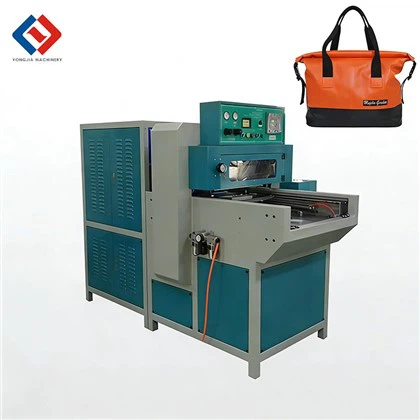
First up: work zone design that doesn’t turn your team into pretzels. I’ve walked into so many factories where the control panel is crammed on a shelf way too high, or the emergency stop button is hidden behind a metal beam that no one noticed until someone had to reach over 6 feet to hit it mid-panic. With fully automatic lines, most control happens at a central HMI (human-machine interface) station, right? But if that station’s at the wrong height – like, if it’s 5 inches too low for someone who’s 5’2”, or 3 inches too high for a 6’4” tech – they’re hunching or stretching for 12-hour shifts. We solved this years ago by making our HMI stations height-adjustable. No more drilling and rebuilding after installation; just a simple crank or touchpad to tweak it to whoever’s using it that day. Also, think about clear paths to every access point – like where you load raw material rolls, where you check the sensor that’s supposed to spot defects, where you swap out a worn end effector. We see factories with production lines shoved against walls, so when a line tech needs to get to the back of a machine, they have to squeeze through a 12-inch gap. That’s a recipe for back injuries, and it slows down fixes so bad that you might lose a whole shift over a 10-second delay. Our rule of thumb: leave at least 3 feet of clear space on all sides of every key access point, and mark those paths with bright, non-slip tape so no one misses them.
Next, the HMI itself. A lot of teams get handed a screen with tiny text, weirdly organized menus, and no way to adjust the angle. Let’s be real: if you’re staring at a screen for 2 hours straight, you don’t want to tilt your head at a 45-degree angle the whole time. We build our HMIs with adjustable mounting arms too – swivel, tilt, extend – so you can set it exactly where your line tech’s eyes are at. Also, text size and contrast: I had a client last year who kept complaining that their night shift team was hitting the wrong buttons because the blue text on black background vanished under overhead lighting. We swapped the display for a high-contrast, anti-glare screen and programmed larger default text, and the number of wrong inputs dropped by 40% in a month. Oh, and don’t forget touch vs. physical buttons. Some people love touchscreens, especially when you’re wearing gloves during messy parts checks, but others hate how they’re prone to smudges and accidental taps. We offer both options – or a hybrid where key emergency stops are physical, big buttons, so no one’s fumbling on a touchscreen when a machine is about to back up. It sounds small, but these little HMI tweaks make a huge difference in fatigue and error rates.
Then there’s handling of non-autonomous tasks. Wait, even fully automatic lines have parts that still need human input, right? Raw material loading: sometimes those big rolls of fabric or plastic are 50 pounds, and if you’re hoisting them onto a conveyor hook every 20 minutes, that’s a lot of repetitive lifting. We’ve started integrating small, electric roll lifters that mount right to the loading station – no more bending over to heft 50 pounds from the floor, just a simple button to lift the roll into place. Also, what about waste disposal? A lot of fully automatic lines cut off excess material, and that waste pile up in a bin at waist level or lower. If your team is bending over every hour to dump that bin, that’s a quick way to get lower back strain. We now design those waste chutes to empty into bins that are adjustable in height – or even better, motorized bins that lift themselves to waist level so you just pull a lever to empty them without bending. Another task: quality checks. Even the best vision systems on a fully automatic line miss tiny defects, so a human still has to spot check every so often. We set up dedicated quality stations right next to the main line, with stools that have back support (no standing for hours), good task lighting (no squinting to see a small scratch), and enough space to lay out defective parts without cluttering up the line.
Repetitive motion is a big one that no one talks about with automatic lines. I used to work with a team where the line tech’s only job was to grab a sample part every 15 minutes, check it, and log it. After 6 months, that person had carpal tunnel from the same wrist motion every single time. So we started adding automated sample pickers that grab a part, move it to a pre-programmed check point, and even log the data automatically – cutting that repetitive wrist motion by 90%. But when you do need a human to do a small, repetitive task, we design the stations to keep movements within the “safe” zone: that’s the area between your elbow and shoulder when your arm is relaxed at your side. No reaching way out to grab a tool, no twisting your wrist 180 degrees to turn a knob. We also suggest rotating tasks every hour, which most clients are on board with because it makes their team feel less stuck doing the same thing all day.
Lighting is way more important than people think, especially with fully automatic lines that have lots of small, moving parts. I’ve seen factories where the only light is the overhead fluorescent that flickers, making it hard to spot a misaligned robot arm or a small plastic shard that’s going to jam the line. We always do a lighting audit before we install a line, not just guess at what’s enough. We add task lighting right at every sensor access point, every quality check station, and around emergency stop buttons – areas that people actually use when they’re working on the line. Also, avoid harsh glare from overhead lights reflecting off metal machine parts or touchscreens. Last year, a client had to replace half their overhead lights because the glare off their stainless steel line made it impossible to see a small tear in the material feed, which shut down the line for 2 hours. We now spec anti-glare coatings on all metal surfaces around work zones and use LED lights that don’t cast harsh shadows.
Safety is non-negotiable, but it’s also a big part of ergonomics – if someone’s scared to work on the line because they’ll get hit by a moving robot, they’re going to tense up, make mistakes, and get tired way faster. We design our fully automatic lines with safety light curtains and pressure-sensitive mats, so if someone steps into the moving zone, the line slows down immediately, not just stops. But we also mark safe zones with bright, contrasting paint on the floor, so your team knows exactly where they can stand without worrying about getting clipped by a moving end effector. Also, noise levels – I’ve been in factories where the line is so loud you have to yell to hear someone next to you, and after 4 hours, your ears are ringing and you can’t hear the line’s audio alerts. We add sound-dampening panels to the line’s moving parts, and program audio alerts to be distinct – not just a generic beep, but a high-pitched beep for an emergency, a lower chime for a routine check – so you can hear it over noise without straining. We also make sure that the line’s audio volume isn’t cranked so high that it’s painful, which just adds to overall fatigue.
Wait, and let’s talk about training. Even the most ergonomic line is useless if your team doesn’t know how to use it right. We now include ergonomics training with every line we sell, not just technical training. We teach line techs how to adjust their stations, how to lift materials correctly without hurting their backs, and how to spot small signs of fatigue or strain in themselves and their teammates. I had a client last year who was nervous about adding that extra training, but within a month, they reported 20% fewer workplace injuries and a 10% drop in unplanned downtime because their team felt more comfortable using the line. That’s the thing: ergonomics isn’t just about making the workspace easier – it’s about making your team feel valued, and that makes them more efficient.
I know some factory owners see ergonomics as an extra cost, but here’s the thing: it’s an investment. A line that’s set up with poor ergonomics will have higher injury rates, more mistakes, longer downtime, and higher turnover. A line that’s built with ergonomics in mind? Your team is happier, more productive, and your line runs smoother, longer, and with fewer hiccups. That’s why as a fully automatic line supplier, I don’t just sell machines – I sell a line that works for the humans who run it, not just the other way around.
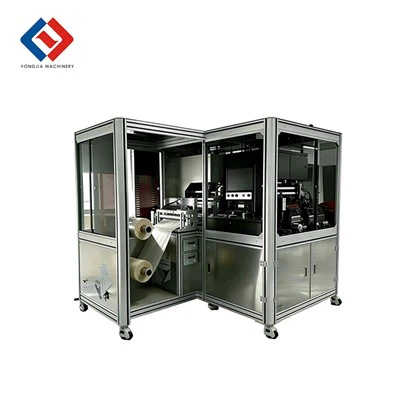
If you’re setting up a new fully automatic line, or upgrading an old one, and you want to make sure you’re not skipping the ergonomic stuff – hit me up. We can walk through your space, talk through your team’s needs, and build a line that’s both efficient and easy on your people. Don’t wait until someone gets hurt or your downtime blows out – let’s chat and get it right from the start.
Synchronous Fusing HF Welding Machines References:
- Occupational Safety and Health Administration (OSHA). (2022). Ergonomics for Computer Workstations. U.S. Department of Labor.
- National Institute for Occupational Safety and Health (NIOSH). (2021). Ergonomics Guidelines for Manufacturing Industries. Centers for Disease Control and Prevention.
- International Ergonomics Association (IEA). (2020). Ergonomic Considerations in Automated Production Systems. IEA Press.
- World Health Organization (WHO). (2019). Workplace Ergonomics and Worker Health. WHO Regional Office for Europe.
- American Industrial Hygiene Association (AIHA). (2023). Noise Control in Automated Manufacturing Facilities. AIHA Journal.
Dongguan Yongjia Machinery Equipment Co., Ltd.
We are one of the most reliable fully automatic production line manufacturers and suppliers in China, specialized in providing high quality customized service. Please feel free to wholesale advanced fully automatic production line at low price from our factory. For quotation, contact us now.
Address: No. 240, Chashan South Road, Chashan Town, Dongguan City, Guangdong Province, China
E-mail: info@yjwelding.com
WebSite: https://www.yjhighfrequencymachine.com/
